
NF Find Phone Numbers
NF Find Phone Numbers scans one text value for dialable numbers. Use it for Notes, Description, email bodies, or chatter text in Flow. For a single known phone field, use NF Process Phone instead.
Add the action
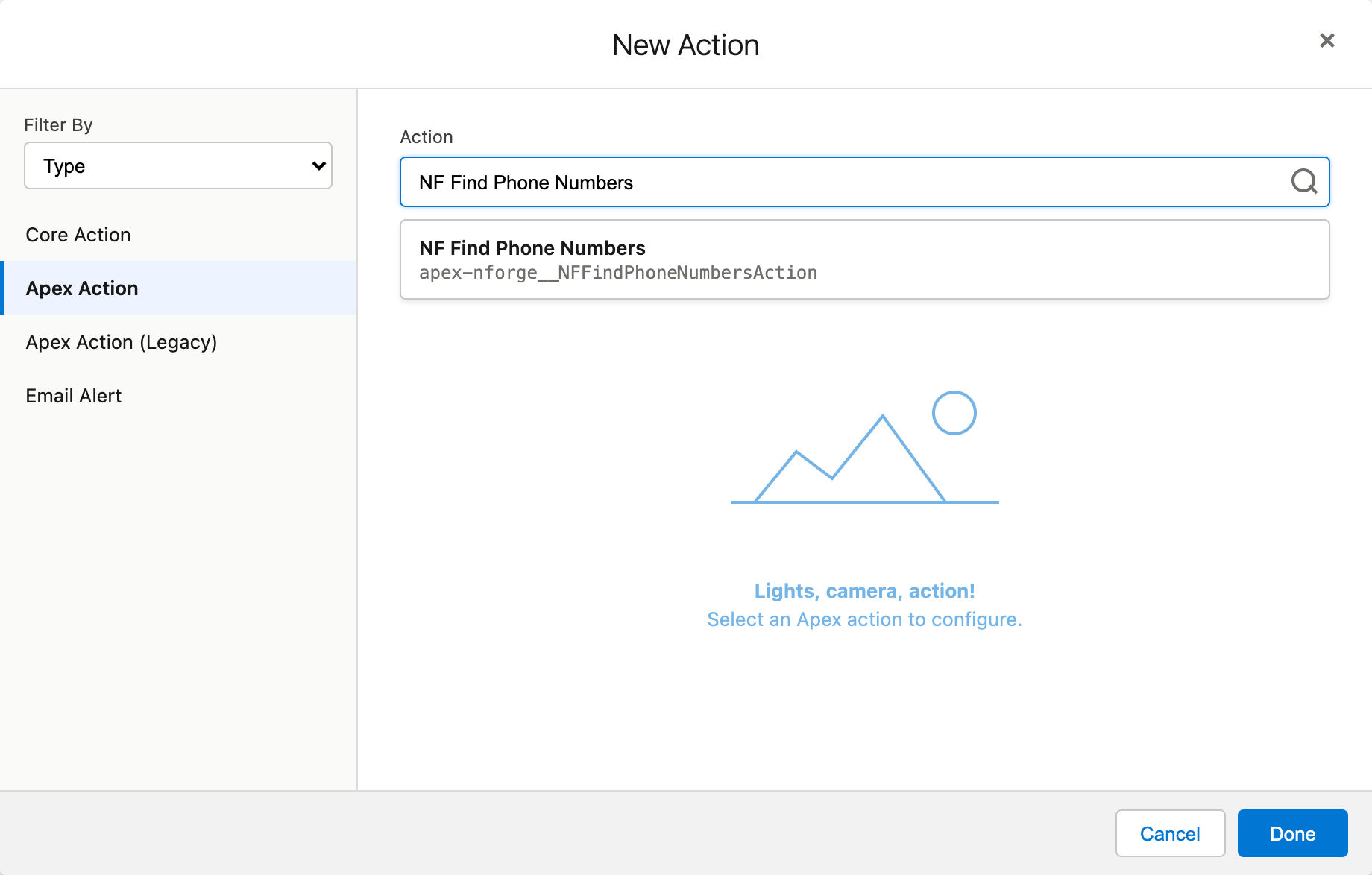
Section titled “Add the action”- On the canvas, click Add element (or the + on a connector).
- Choose Action. Flow Builder opens the New Action window.
- Set Filter By to Type, then select Apex Action.
- Search for NF Find Phone Numbers, select it, and click Done.
Inputs
Section titled “Inputs”| Input | Required | Description |
|---|---|---|
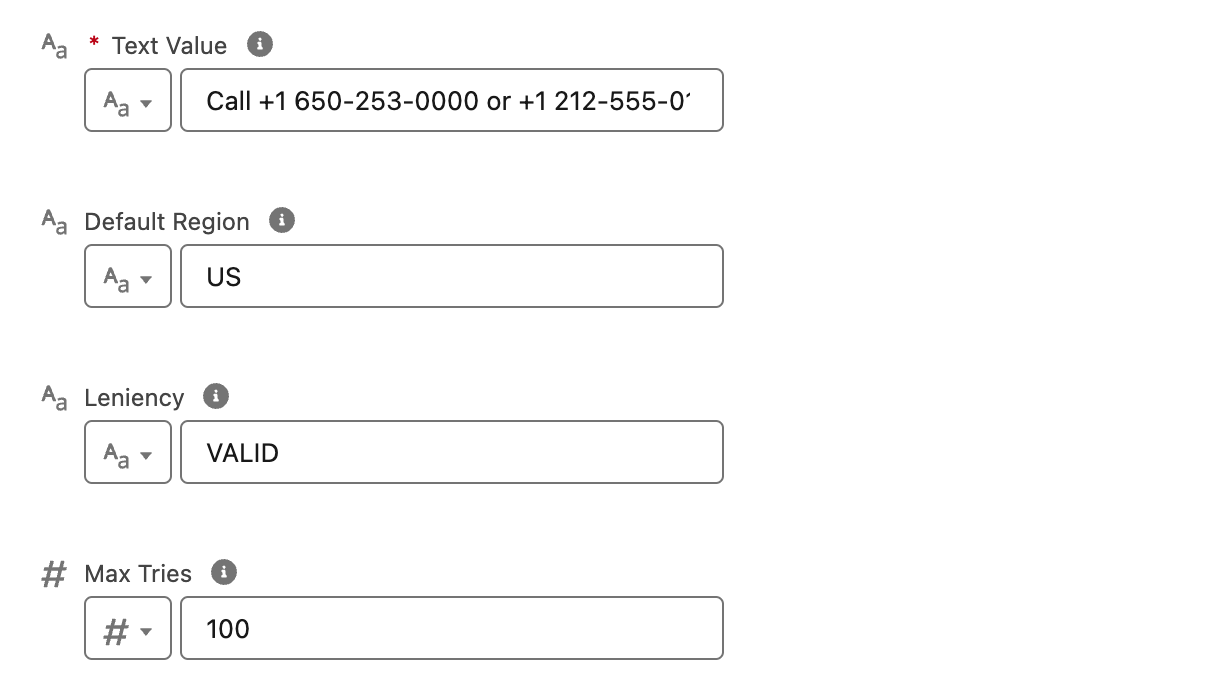
| Text Value | Yes | Text to scan |
| Default Region | No | ISO region code used when a matched number has no + country code; blank uses NF.orgDefaultRegion |
| Leniency | No | VALID (default), POSSIBLE, STRICT_GROUPING, EXACT_GROUPING. Same as NF.Leniency. |
| Max Tries | No | Cap extraction work on very long strings |
Outputs
Section titled “Outputs”| Output | Description |
|---|---|
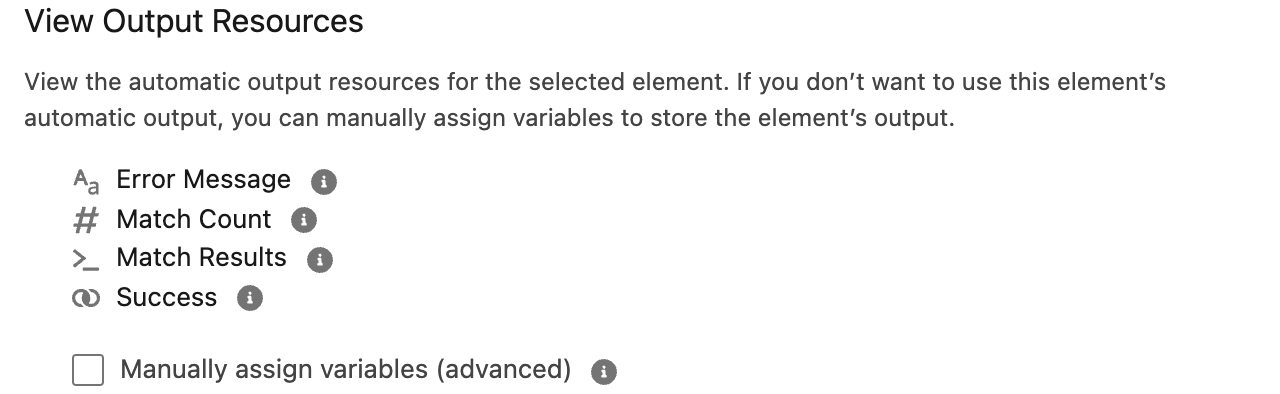
| Success | Action completed without execution error |
| Match Count | Number of matches found |
| Match Results | Collection of match rows |
| Error Message | Execution failure (for example blank text) |
Each Match Result row includes:
| Field | Description |
|---|---|
| Matched Text | Substring from source text |
| Start Index / End Index | Zero-based positions |
| E164, International, National, RFC3966 | Formatted values |
| Region Code, Country Calling Code | Parsed metadata |
| Number Type / Number Type Display | Line type |
Flow Builder lists the action-level outputs on the element. Store them automatically, then reference them in later elements.
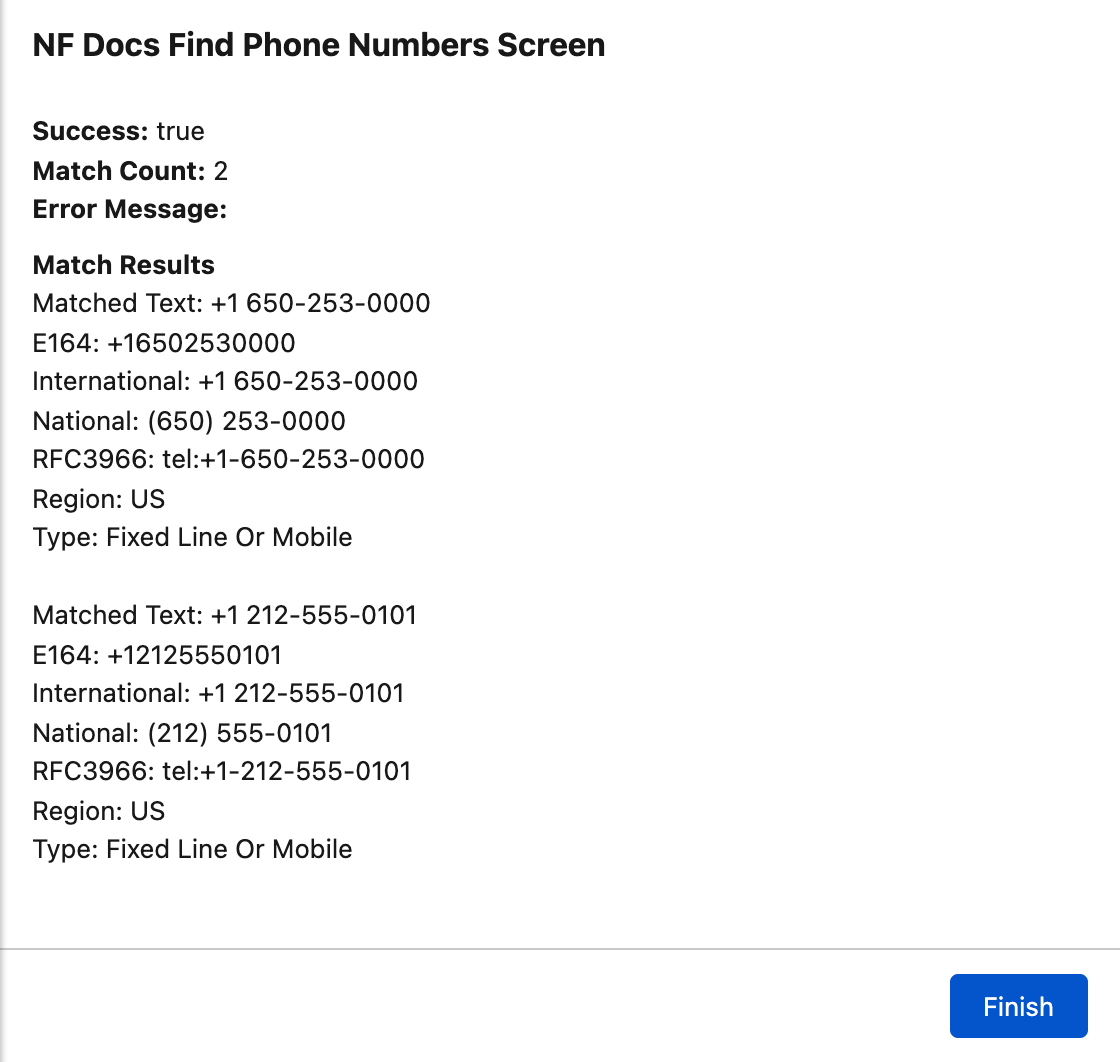
Example return values for Call +1 650-253-0000 or +1 212-555-0101 today. with Default Region US and Leniency VALID:
Leniency
Section titled “Leniency”| Value | Use when |
|---|---|
VALID | Only well-formed numbers (default) |
POSSIBLE | Looser length checks |
STRICT_GROUPING / EXACT_GROUPING | Harsh punctuation rules on long documents |
Matches NF.findNumbers overloads in the API reference.
Example usage
Section titled “Example usage”NF Find Phone Numbers extracts matches from text only. It does not create or update records by itself. Add a Loop on {!Match Results} and your own elements to act on each match.
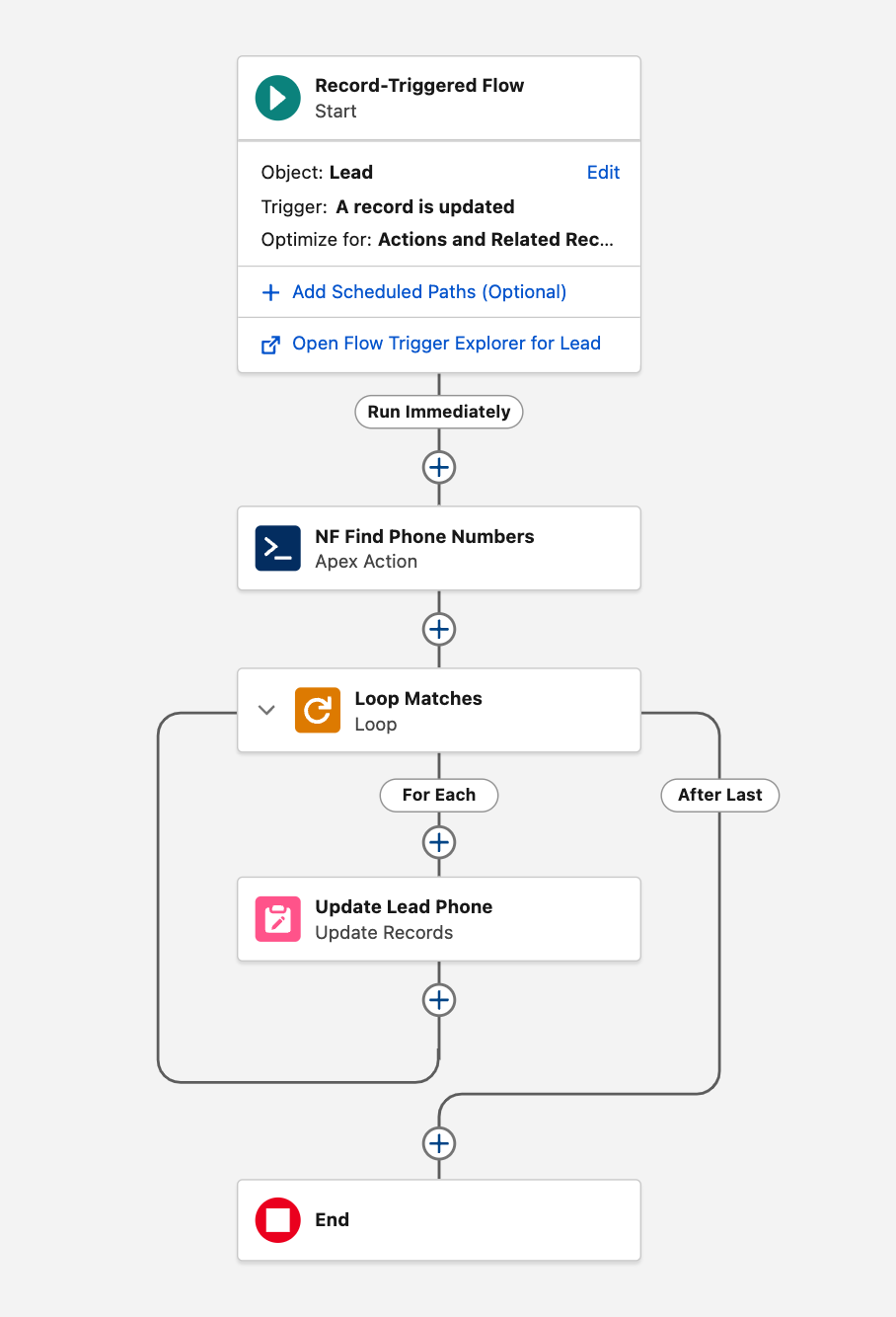
Example: record-triggered flow on Lead Update when {!$Record.Description} may contain dialable numbers:
- Run NF Find Phone Numbers on
{!$Record.Description}. - Loop through
{!NF Find Phone Numbers.Match Results}. - For each match, Update Records on the Lead: set Phone to
{!Loop Matches.E164}(the last match in the loop wins if there are several).