

NF Process Phone
NF Process Phone wraps the same core logic as NF.parse, NF.isValid, and formatting helpers for one scalar phone string per Flow interview.
Add the action
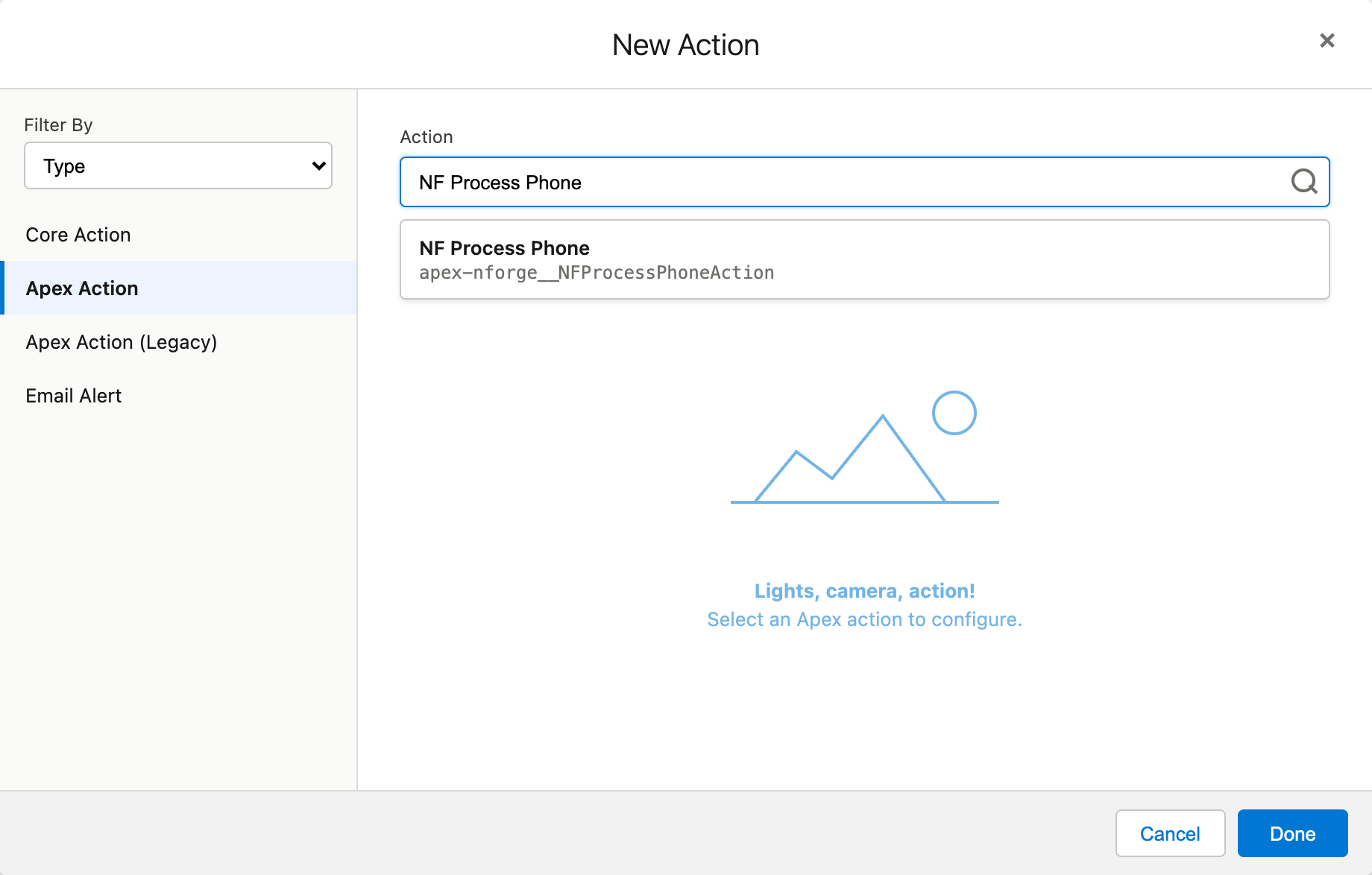
Section titled “Add the action”- On the canvas, click Add element (or the + on a connector).
- Choose Action. Flow Builder opens the New Action window.
- Set Filter By to Type, then select Apex Action.
- Search for NF Process Phone, select it, and click Done.
Inputs
Section titled “Inputs”| Input | Required | Description |
|---|---|---|
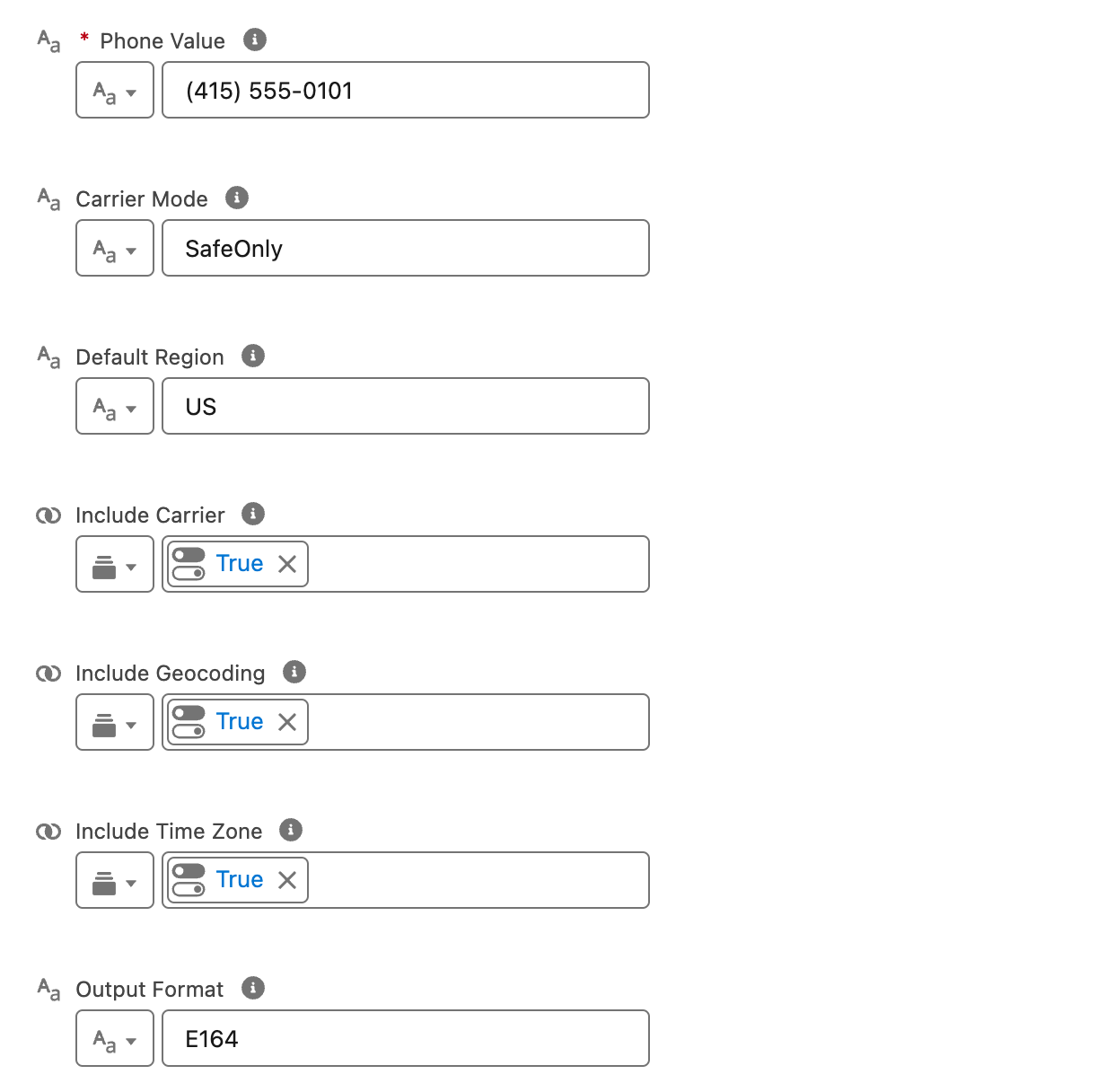
| Phone Value | Yes | Raw phone string to process |
| Default Region | No | ISO region code used when the number has no + country code; blank uses NF.orgDefaultRegion |
| Output Format | No | E164, INTERNATIONAL, NATIONAL, RFC3966; blank uses org default save format |
| Include Carrier | No | Return carrier when valid |
| Include Geocoding | No | Return geocoding description |
| Include Time Zone | No | Return first time zone |
| Carrier Mode | No | SafeOnly (default) or OriginalCarrier |
Outputs
Section titled “Outputs”| Output | Description |
|---|---|
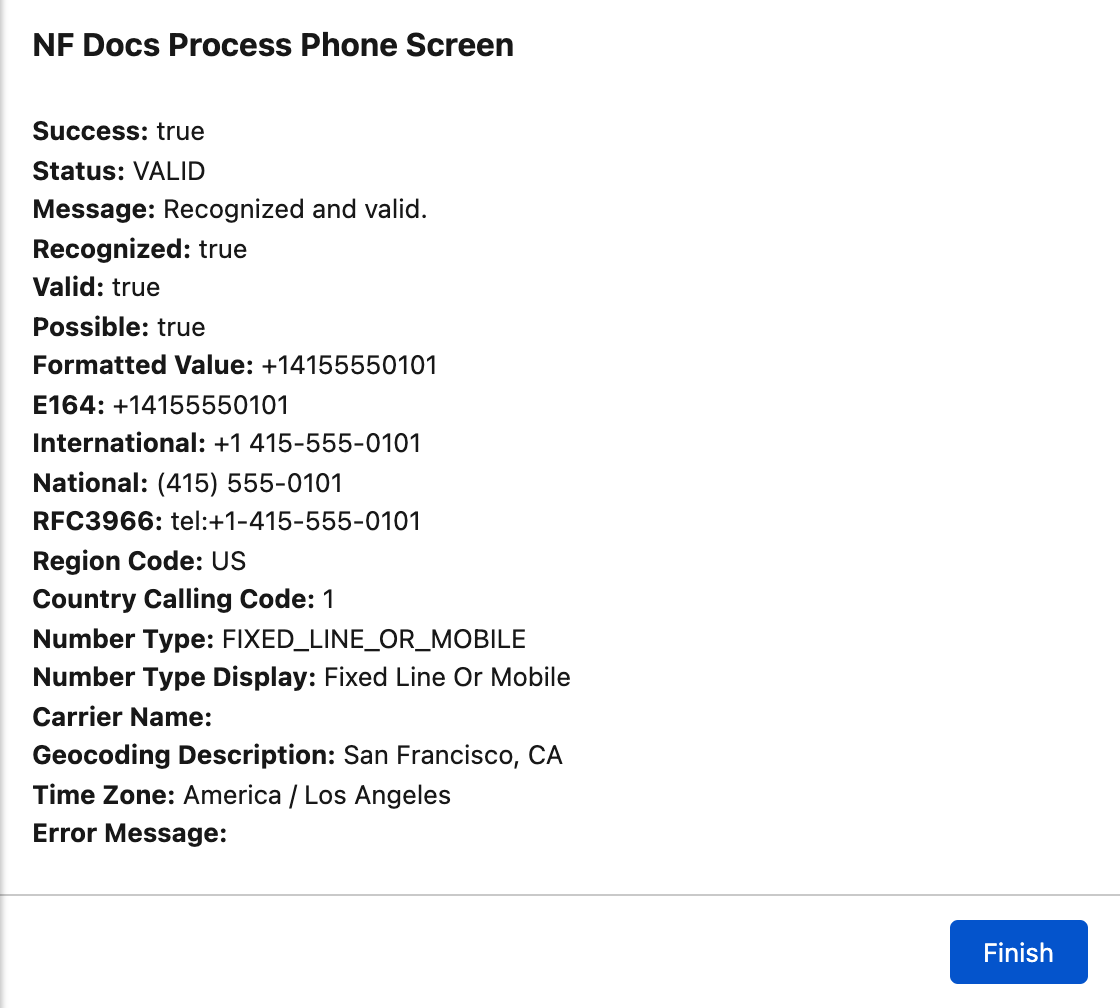
| Success | Action completed without execution error |
| Status | VALID, INVALID, NEEDS_REGION, or EMPTY |
| Message | Human-readable explanation |
| Recognized / Valid / Possible | Parse and validation flags |
| Formatted Value | Value in requested output format |
| E164, International, National, RFC3966 | All format variants when recognized |
| Region Code, Country Calling Code, Number Type | Parsed metadata |
| Carrier Name, Geocoding Description, Time Zone | When enrichment inputs enabled |
| Error Message | Parse or execution errors |
Example return values for (415) 555-0101 with Default Region US, Output Format E164, and enrichment inputs enabled:
Example usage
Section titled “Example usage”NF Process Phone validates and formats the phone value only. It does not update Salesforce records. Add your own Update Records (or another element) when you want to persist the formatted value.
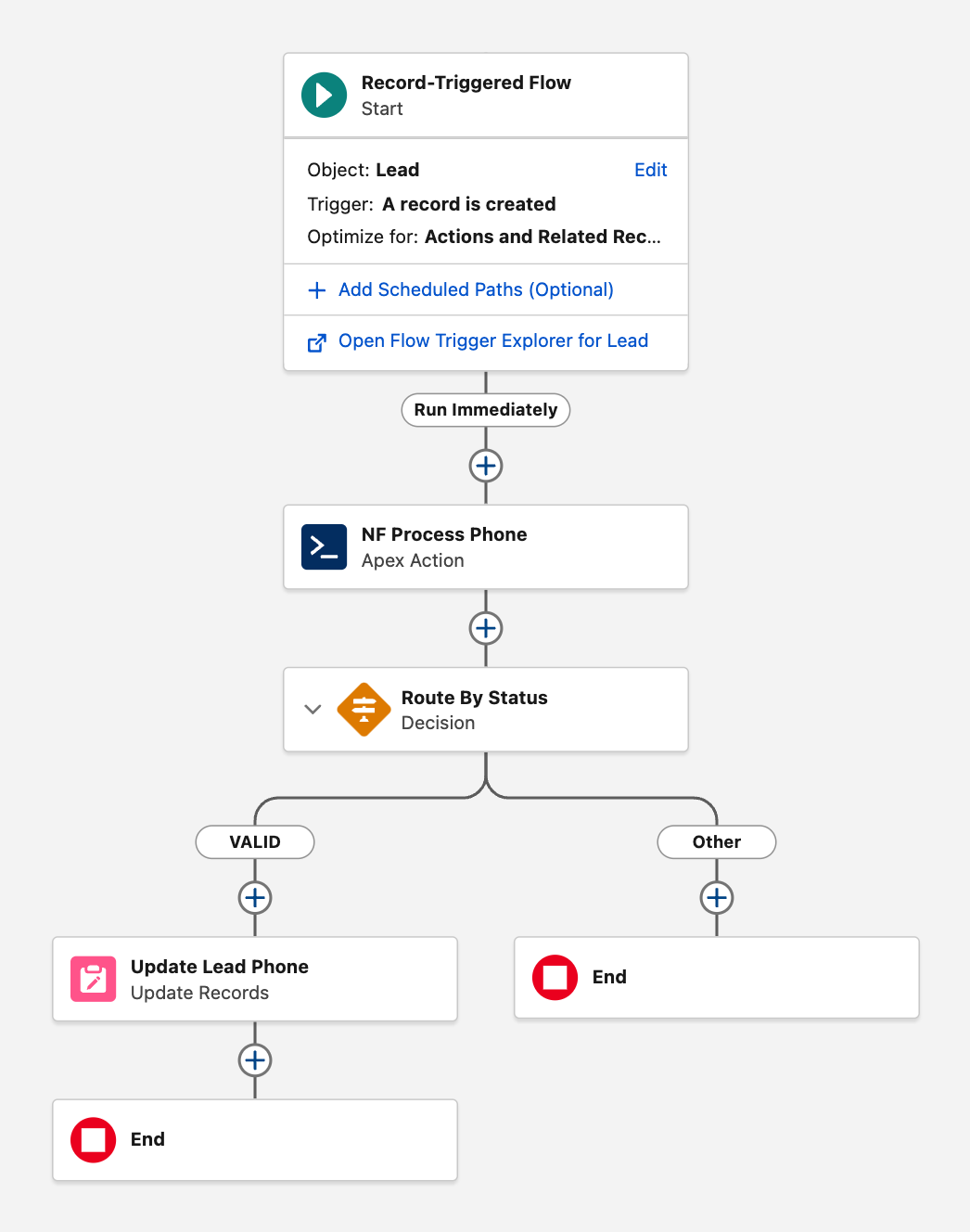
Typical pattern on record-triggered flows:
- Run NF Process Phone on the phone field.
- Decision on
{!Status}, for example VALID vs Other (default). - On VALID, Update Records with
{!NF Process Phone.Formatted Value}(or another output).
Related
Section titled “Related”- Concepts
- Parsing and validation in the NF API Reference